A misspelling? A typing error? A mistake? It happens!
I talked about this to a few people recently and realized that this trick isn’t know of all.
Here’s how you can edit the text of a published post in a few simple steps. Be aware that this is only applicable when you add a photo to your post.
Step 1 : Notice the mistake

Step 2 : Click on the picture for it to be opened in “theater” mode
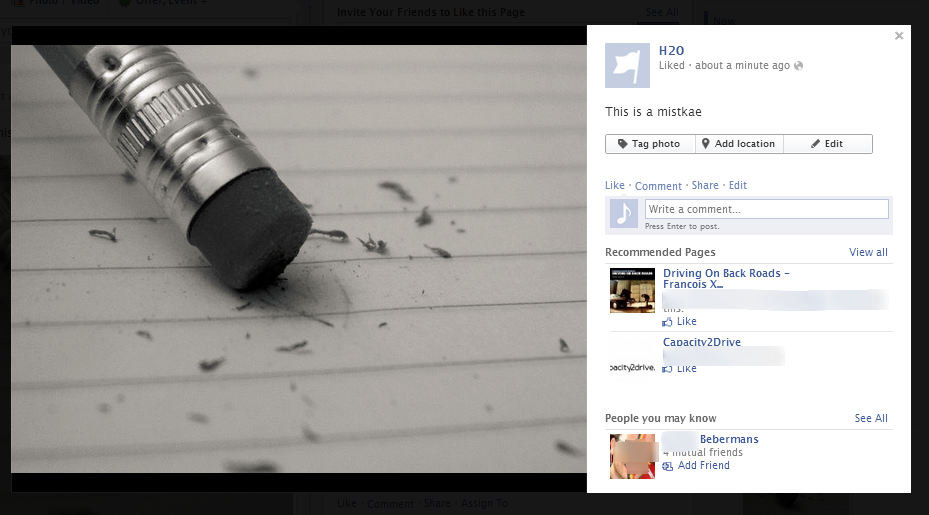
Step 3 : Click edit and correct your misspelling then hit “finished editing”
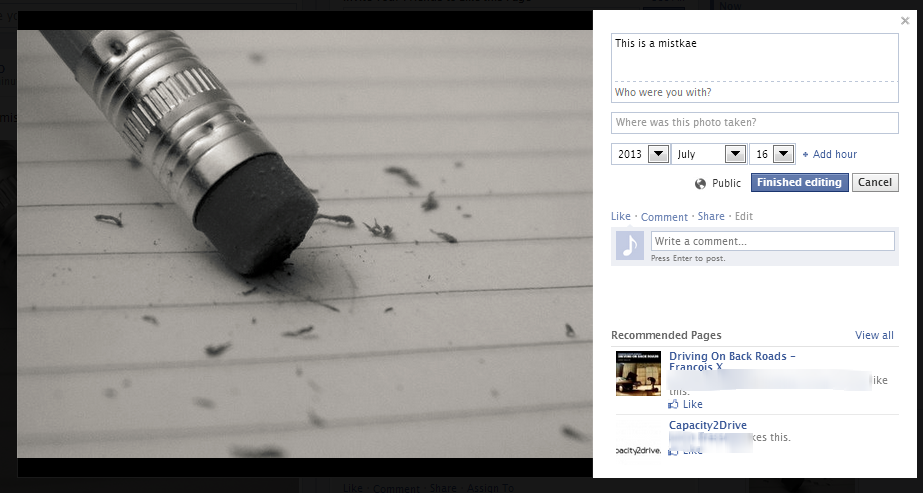
Easy right?
 Welcome